

You never upload to a marketplace by hand: BookRouter's routing runs on a schedule, sending each connected marketplace your new items, your edits, and delete instructions for items that sold or were removed. This article explains the machinery and the buttons that control it.
The routine: adds, updates, deletes
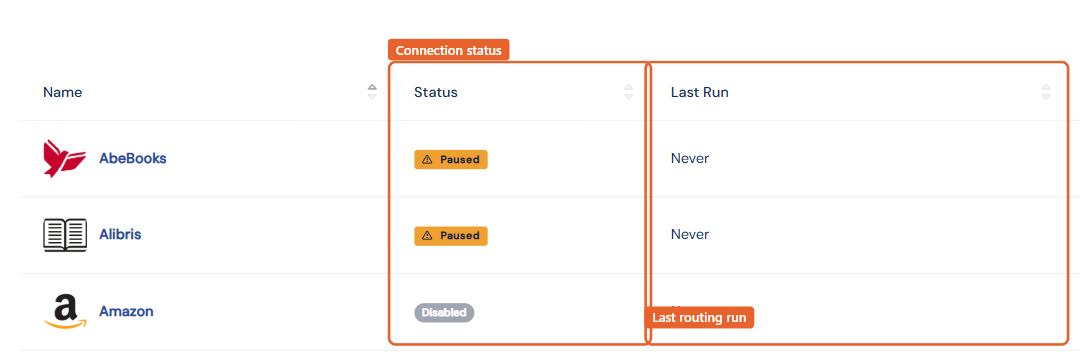
On each run, BookRouter works out what changed since a marketplace's last successful upload and sends just those changes, translated into that marketplace's format and adjusted by your pricing rules. The Last Run column on the Marketplaces page shows each destination's most recent run.
Forcing a full refresh
Occasionally you want to resend everything, for example after large offline changes, or if a marketplace's copy of your inventory has drifted:
- Trigger Purge (AbeBooks, Biblio, Alibris, Antiqbook, custom routes): the button on the marketplace's settings page queues a complete replacement file on the next run, and the marketplace replaces its copy of your inventory with the file. To purge several marketplaces at once, use Trigger Purges in the gear menu on the Marketplaces list. See Trigger a purge.
- Revise All (Amazon and eBay): re-sends a full revision of all your active listings through the marketplace's API.
Only trigger a full refresh when your BookRouter inventory is up to date; the marketplace will mirror whatever is sent.
Pausing
Set Routing Status to Paused on any marketplace to stop uploads without disconnecting. Doing inventory in bulk? Pause, finish your changes, then re-enable and trigger a refresh if needed.
Which items go
Items route when they are published, in stock, and enabled for that marketplace on their Marketplaces tab. Items must generally have an image for eBay. Your per-marketplace price-range filter can further limit what is sent.
Never edit listings on the marketplace itself. BookRouter is the source of truth; changes made directly on a venue are overwritten by the next upload and can put the two systems out of sync. Make every change in BookRouter.