
Orders & Shipping
Every order lands in one place
Orders from AbeBooks, Alibris, Amazon, Antiqbook, Biblio, and eBay come into BookRouter™ with your website and in-person sales, so you pack, label, and mark them shipped in one place.
Marketplace orders
Orders come to you
Connect a marketplace once and its orders download into BookRouter™ on a schedule, alongside the sales from your own website and the ones you make in person. AbeBooks, Amazon, Antiqbook, Biblio, and eBay send them straight through. Alibris does too, once EDI Lite is switched on for your account.
The buyer's name and address come with the order wherever the marketplace shares them. Amazon and eBay pass the email through a relay address. BookRouter™ keeps it on the order but never sends mail to it.
Shipping & order status
Ship the order
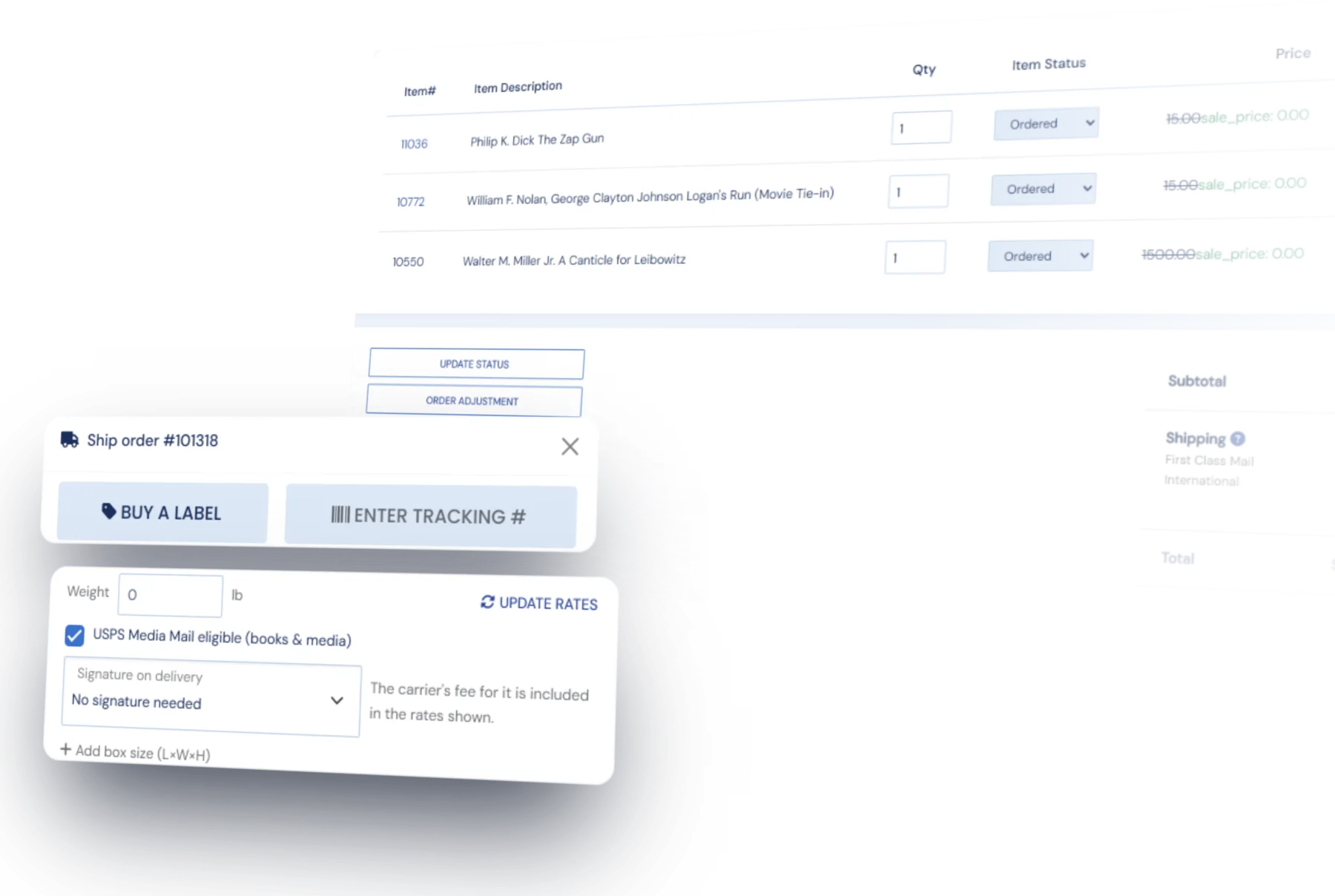
Get live rates from USPS, UPS, FedEx, and DHL Express, Media Mail included, for shipping from the US, or from Canada Post for shipping from Canada. You can also connect your own carrier account. Buy the label right on the order, and the tracking number is filled in for you and sent back to AbeBooks, Alibris, Amazon, Biblio, or eBay.
Most inventory systems booksellers have used never kept a weight for each book, so BookRouter™ uses a default weight for any book without one. Adjust it in the label window before you buy. There is no monthly fee or contract for purchasing labels in BookRouter™. Postage comes from a prepaid shipping balance, with a small fee per label.
After the sale
Cancellations, refunds, and packing slips
Some order tasks happen in BookRouter™ and some happen on the marketplace. Here is which is which.
Cancel here or on the marketplace
AbeBooks, Alibris, and Biblio orders cancel right from BookRouter™. Amazon and eBay take seller cancellations only in Seller Central and Seller Hub, so cancel there and mark the order cancelled here.
Refund AbeBooks and Biblio orders
Both accept a refund sent from BookRouter™. Alibris, Amazon, and eBay handle refunds in their own systems, so those need to be processed there.
Print them from the order
Packing slips can be printed from BookRouter™ for any order, marketplace or website. Alibris requires its own slip, and the order page links straight to it.
International shipping
Customs forms filled in from the order
The customs form is filled in from what is already on the order: each book, its value, and your IOSS, VAT, or EORI number where you have one. BookRouter™ works out whether the shipment needs a US export filing and asks for it only when it does.
For each label, choose whether you prepay the buyer's duties or they pay on delivery. FedEx, UPS, and DHL Express can prepay duties; USPS cannot.
Routing & Reports
Before and after the order
Routing lists your books on the marketplaces and takes them down when they sell. Every sale then lands in Reports alongside your website and in-person sales, in one history.
Try it for yourself
We will set you up with a demo login so you can see how orders, shipping labels, and tracking work.