
Inventory
Describe it once, properly
Fields built for the antiquarian trade, not adapted from a general retail system. Describe a book once, and BookRouter sends it everywhere you sell.
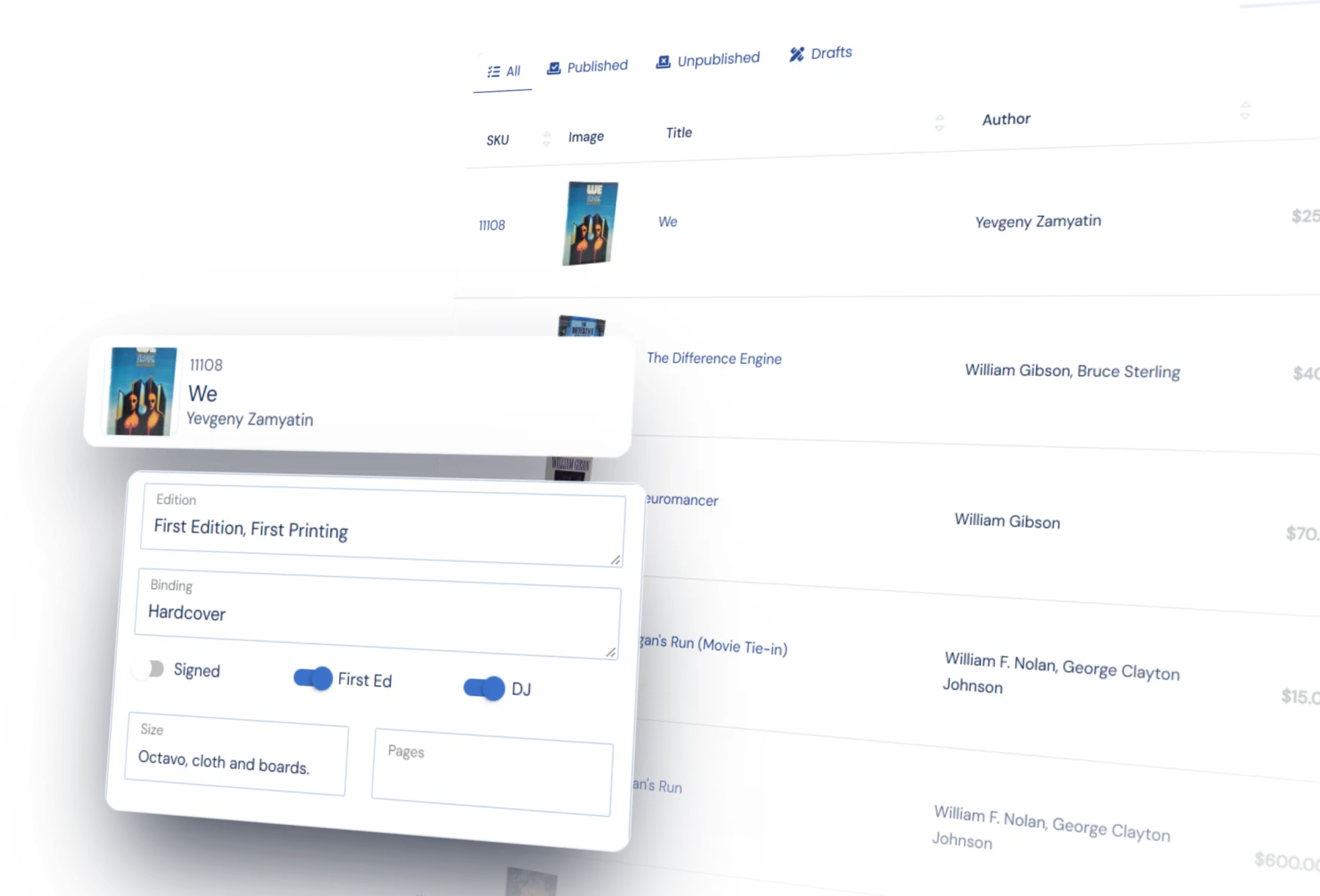
Data entry
Quick lookups and careful descriptions
A rare book gets the description it deserves. Fields such as condition, binding, edition, signed, jacket, and description are built in, and you can add your own for the things nobody else tracks. Save a record as a draft and come back to it. Nothing goes to your website or the marketplaces until you publish it.
For books with an ISBN, key or scan it to fetch the bibliographic details from ISBNdb and a stock cover photo. Keep only the details you want. Typeahead fills in the authors, publishers, and places already in your inventory, so the fortieth Nonesuch Press entry does not get typed out in full. Photos are added with a drag-and-drop uploader or in bulk.
Bulk edit
Change many records at once
Reprice a catalog, change status, or move books between categories in one pass. Pick the books by filtering your inventory or by pasting a list of SKUs, then find and replace text wherever it appears.
Every bulk change saves a restore point first, so you can put it back.
Photos
As many photos as a book needs
Drag photos into order and crop or rotate them without leaving the record. The same photos go to your website and your marketplaces.
Every photo is served from Fastly, a network with servers around the world, and sized automatically for each page. A buyer in Melbourne waits no longer than one in Boston. Storage is ample, and photos stay unless you opt to delete them.
When it goes wrong
Protection for your inventory
The things that catch a bad upload file or an accidental change before it costs you.
Safeguards for big changes
Every bulk edit saves a restore point first, so you can put the set back. A full replacement upload that would remove most of your stock is stopped and flagged for you to check.
It belongs to you
Take a full backup of the catalog on demand, or export to CSV, XLSX or XML. Your listings, your images and your customer records are yours to keep, whether or not you stay.
Import and export
Move in from any system
Bring your inventory in from the formats the trade already uses, including BookHound, HomeBase, and UIEE, from your eBay or Amazon listings, or from a spreadsheet you map once and reuse. If your old system only gives you an unusual file, send it to us and we will tell you how it comes across.
Getting it out is just as easy: standard export formats, column layouts you define yourself, and a one-click backup of everything.
What happens next
A record you only have to write once
Describe a book properly once and the description does the rest. BookRouter sends it to your marketplaces, and every sale comes back to the same record.
Try it for yourself
We will set you up with a demo login so you can see how cataloging works. Moving from another system? Send us a file and we will tell you how it would come across.