
Reports
Sales, inventory, and customer reports
Website, marketplace, and in-person sales are recorded in one sales history. Filter it, chart it, click any chart to see the sales behind it, and export it to a spreadsheet.
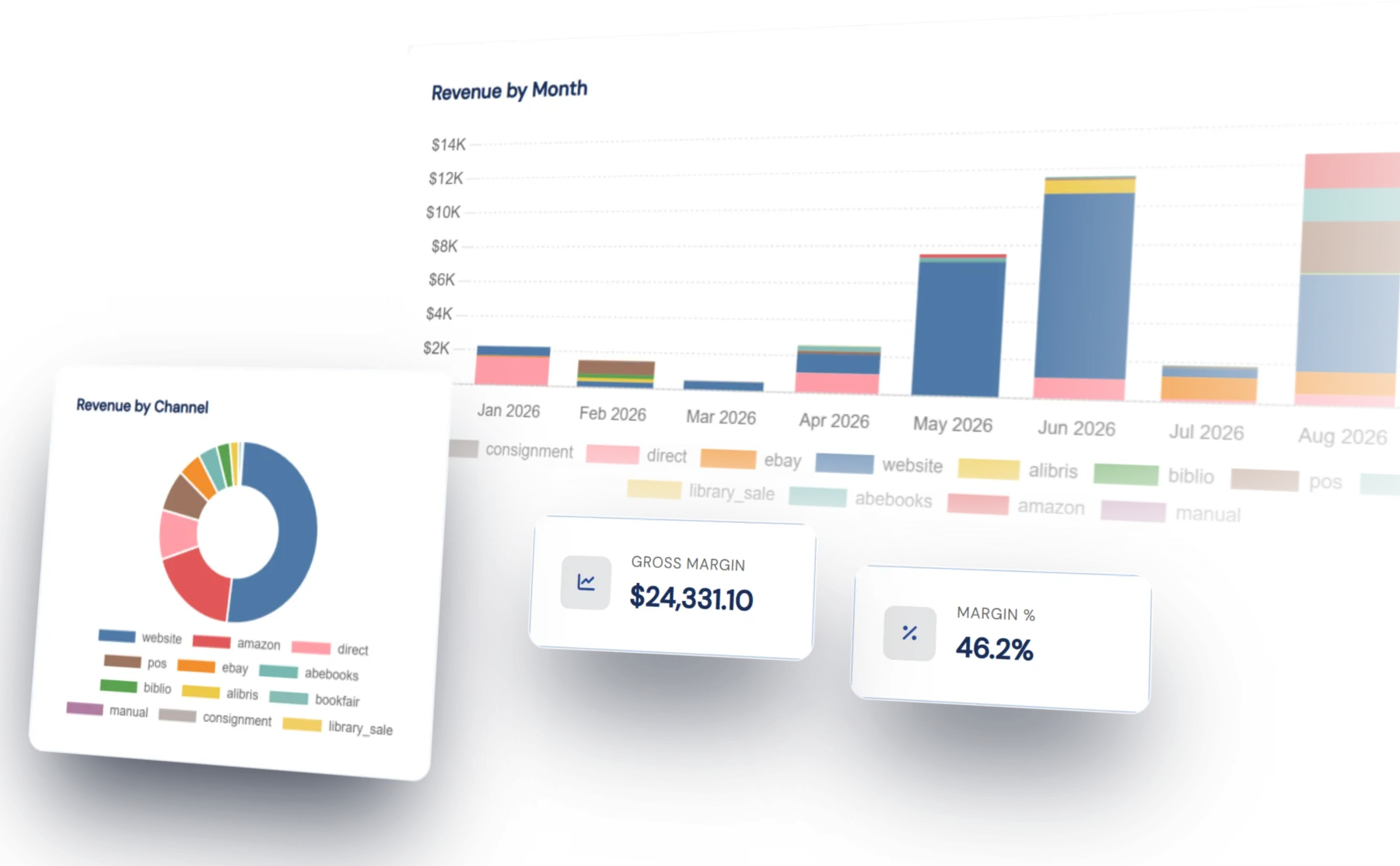
Sales history
Every sale in the same place
A sale on AbeBooks, a sale on your own website, and a sale made in person at a fair are all recorded in the same sales history, tied to the book's record. Revenue, margin, top sellers, and sales by channel all come from that one history.
Marketplace sales are added to your reports when you turn them on, and your past marketplace sales are imported at the same time.
Inventory reports
Inventory value and year-end snapshots
The inventory reports show what you have, what it is worth at retail and at cost, how long it has been on the shelf, and what you added each year.
At year end, take a snapshot of your inventory and lock it. A locked snapshot keeps the figures it recorded, so that year's report reads the same whenever you look at it again.
Report areas
What the reports cover
Each area has a dashboard, and clicking a chart opens the list behind it.
By channel, by period, by book
Revenue and margin for any date range, split by channel, with your top books, customers, categories, and catalogs. Click a bar or a slice of a chart to open the sales list filtered to it.
Value, age, and acquisitions
What you have, what it cost, what it is priced at, and how long it has been on the shelf. Year-end snapshots for your accountant, and value and cost by the year each book was added.
Buyers, mailing lists, and site activity
Registrations over time, who is buying and how much they have spent, mailing list sizes, and the website activity behind it all: inquiries, carts, want lists, and wishlists.
Export & print
Export to a spreadsheet, or print
Sales and customer reports export in full to CSV or Excel, not just the page you are looking at. Every report also prints cleanly, ready to hand to your accountant or insurer.
Orders, Sales & POS
Where the sales come from
Every sale is recorded where it happens: a marketplace order when it downloads, a website order at checkout, and an in-person sale or invoice when you create it. There is nothing to enter separately for your reports.
Try it for yourself
We will set you up with a demo login so you can explore the reports with sample sales data.