

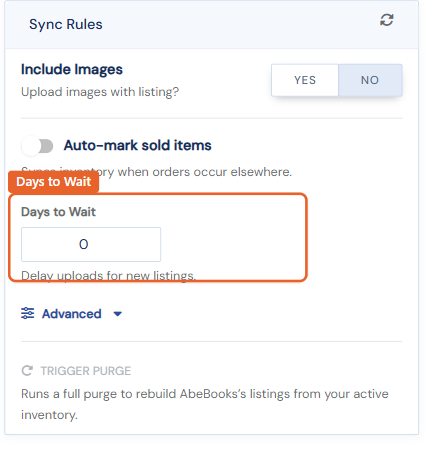
Many booksellers give their own website customers first crack at new arrivals before the marketplaces see them. The Days to Wait setting does exactly that, per marketplace.
Setting a delay
- Go to Routing › Marketplaces and open the marketplace.
- In the Sync Rules card, set Days to Wait to the number of days a newly added item should stay off that marketplace.
- Click Save.
An item added today with a 7-day wait uploads to that marketplace a week from now, automatically. Each marketplace has its own setting, so you can give your website a week's exclusive while Biblio waits three days and eBay waits ten.
- The delay applies to newly added items. Edits to items already listed go through normally.
- Set it to 0 to upload new items on the next routing run.