

BookRouter™ connects to Amazon through their Selling Partner API: you authorize the connection by signing in to your own Amazon Seller account and following the instructions below. Before you start:
- Amazon routing is an add-on service; confirm the marketplace is enabled in your BookRouter™ account.
- If it is not enabled, email support@bibliopolis.com to activate it on your account (current pricing at https://www.bibliopolis.com/pricing).
- You will need an Amazon Seller Central account on the Professional selling plan (See sellercentral.amazon.com).
- BookRouter™ supports the US / North American Amazon marketplace (US, CA, MX), not Amazon EU, JP, CN, IN, or AU or any other Amazon website.
- We do offer a manual upload solution called Amazon Files that will load to any Amazon marketplace.
Connecting
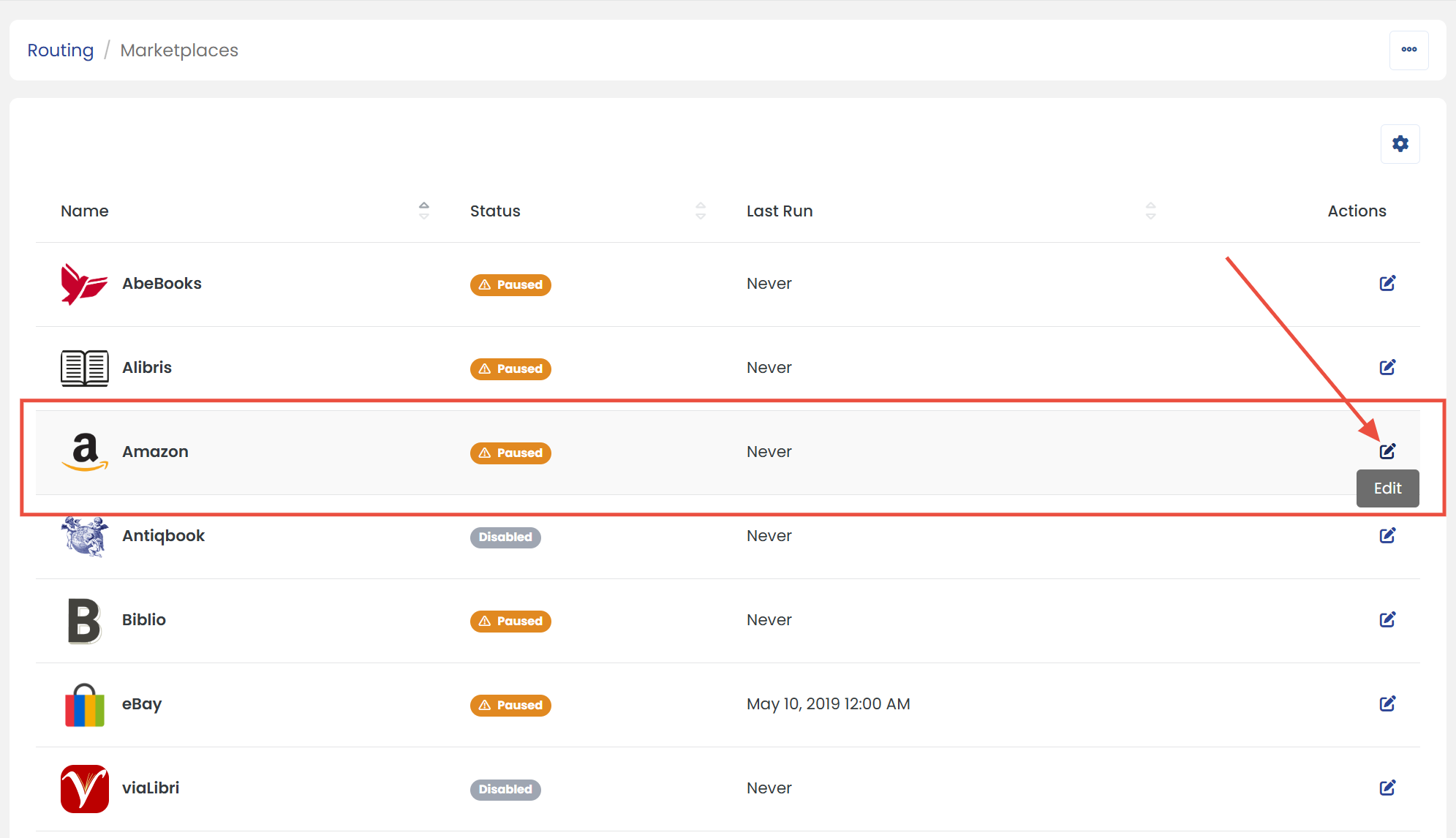
- In the BookRouter admin, click Marketplaces under the Routing heading.
- Find Amazon in the list and click its Edit icon.
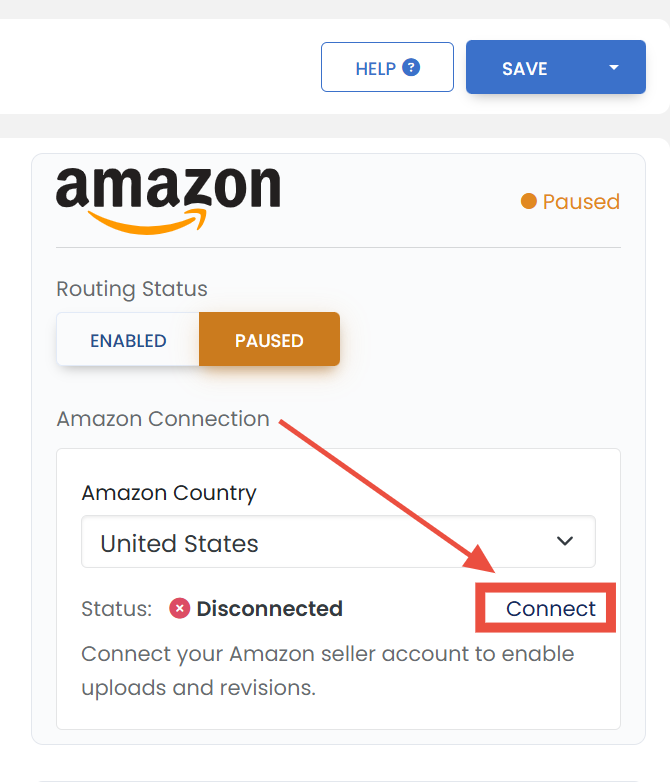
- Under Amazon Connection, pick your Amazon country and click Connect.
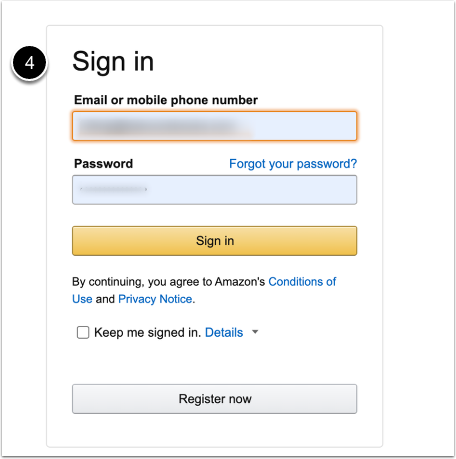
- Sign in to your Amazon Seller Central account.
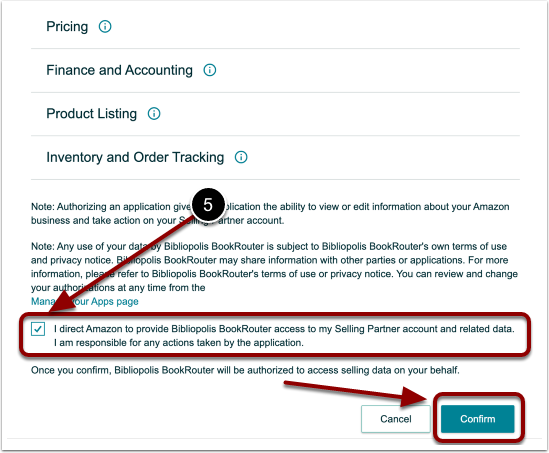
- Check the box directing Amazon to provide Bibliopolis BookRouter access to your Selling Partner account, and click Confirm.
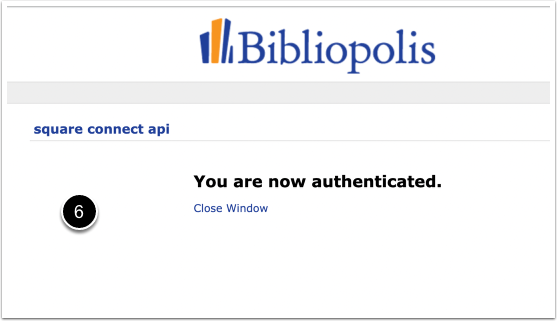
- You are returned to BookRouter with the connection confirmed.
Configuring your defaults
With the connection made, work down the Amazon settings page: your Listing defaults (condition, collectible handling), Shipping (handling time and shipping template), Pricing and repricing rules, and the Sync Rules (days to wait, automatic sold-item download). Save, set Routing Status to Enabled, and your eligible items begin uploading on the next routing runs. Individual items can override these defaults; see Per-item marketplace settings.
Renewing your authorization
Amazon expires third-party authorizations roughly once a year, and Bibliopolis emails you when renewal time comes. Renew by clicking Connect on the same Amazon settings page and signing in again. You can also extend the authorization from Seller Central under Apps and Services > Manage Your Apps, using Extend Expiry next to Bibliopolis BookRouter, but reconnect in BookRouter first.
Worth reading next: Amazon listing changes: what you need to know (ISBN/ASIN requirements for new listings) and Amazon's publisher restrictions and ISBN gating.