

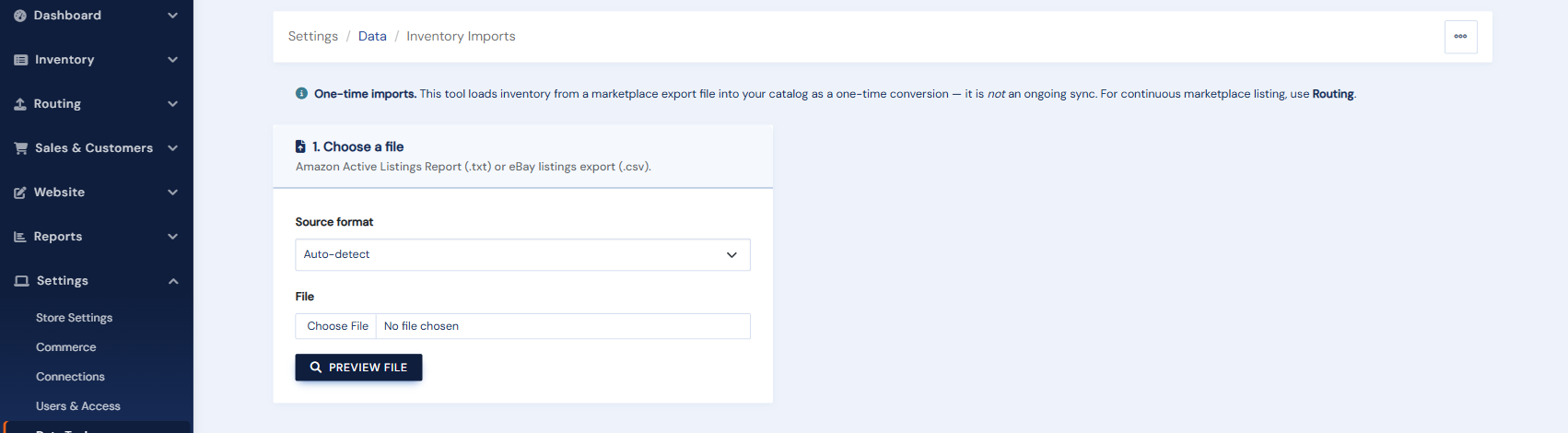
Coming to BookRouter™ from selling directly on Amazon or eBay? The Inventory Imports tool (under Settings › Data Tools) turns a seller export file from those marketplaces into BookRouter inventory records, so you do not have to re-catalogue books you have already listed. This is different from the regular inventory upload, which is for files produced by cataloguing software like BookHound in a format BookRouter already understands. Inventory Imports is a one-time migration tool for marketplace export files.
What it does
- Export your active listings from the marketplace (Amazon Seller Central inventory report, or an eBay listings export).
- Upload the file to Inventory Imports and match it to the marketplace it came from.
- BookRouter reads the listings, enriches ISBN-bearing books with catalogue data where your listing is thin, and stages them for review.
- Review the preview, then run the import. The books land in your inventory like any other upload.
Migrating from other software? If your previous system can export a delimited file (CSV or tab), we can usually bring it in for you. Contact support@bibliopolis.com with a sample file. For importing categories, wants, events, or website pages, see Importing data.