

The Import Data page (Settings › Data Tools › Import Data) loads records from a file into your account: categories, catalogs, wants, events, and website pages. It is the counterpart to the Export hub, and a round trip (export, edit in a spreadsheet, re-import) is a fully supported workflow.
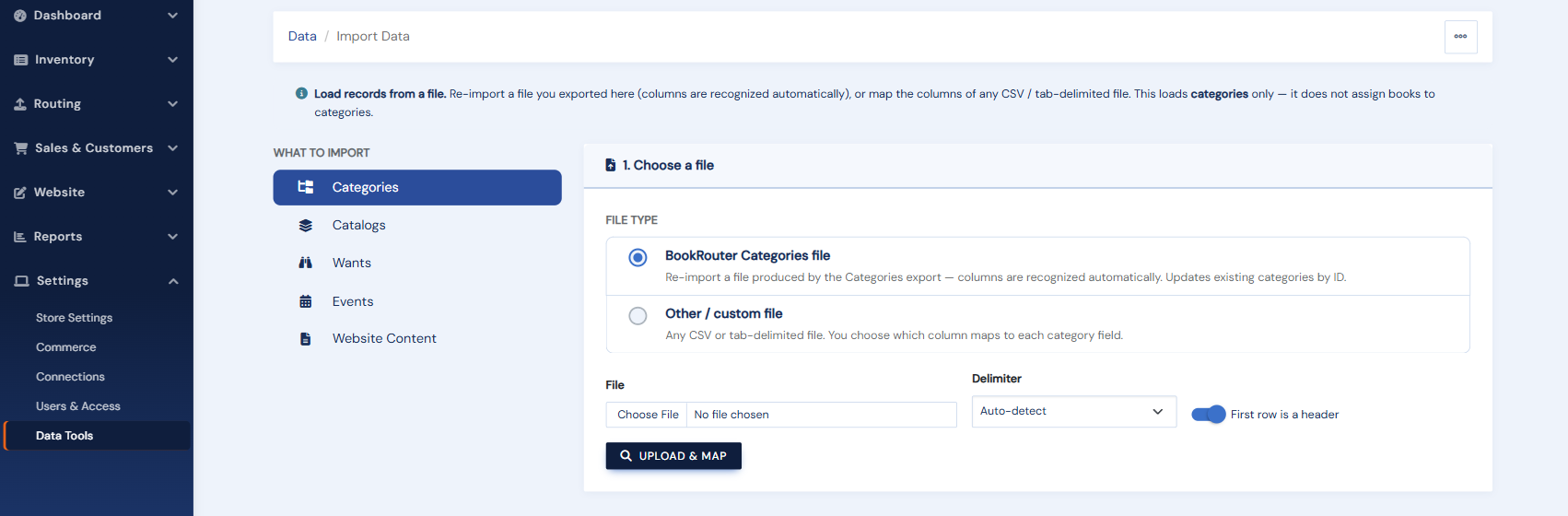
The flow
- Choose the format. "BookRouter" means you are re-importing our own export (columns map themselves); "Custom" means any other file, and you will map its columns by hand.
- Upload the file (CSV or tab-delimited; website pages also support XML, which preserves their HTML perfectly).
- Map the columns. Recognized headers pre-map automatically; adjust anything the guesser missed.
- Choose matching. Decide what identifies an existing record (its ID, or a name), and whether the import should only add new records, only update existing ones, or both.
- Preview. A dry run shows exactly what would be added, updated, and skipped, with any problems flagged. Nothing is written yet.
- Import. Small files run immediately; large ones run in the background.
What is deliberately not here: inventory has its own dedicated paths (the inventory upload and the marketplace-file import), and customers have their own importer on the Manage Customers page. Orders cannot be imported by design.