
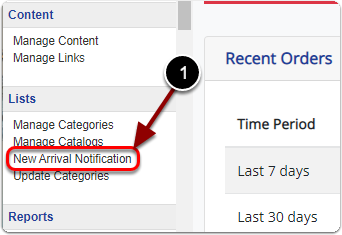
1) Click 'New Arrival Notification' under the 'Lists' heading of the 'Control Panel'.
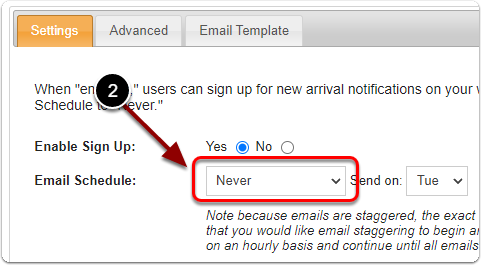
2) Next to 'Email Schedule' select 'Never' from the drop-down menu.
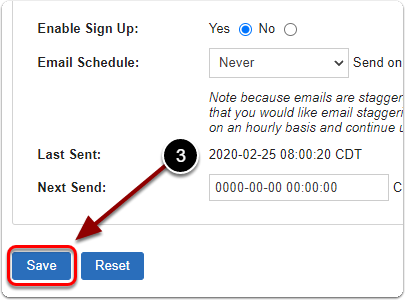
4) When you are finished, click the 'Save' button.

1) Click 'New Arrival Notification' under the 'Lists' heading of the 'Control Panel'.
2) Next to 'Email Schedule' select 'Never' from the drop-down menu.
4) When you are finished, click the 'Save' button.
Send us a message and we will get back to you.