

Point of Sale (under Sales & Customers) is the register: ring up one or more items, take the payment and hand over a receipt. Every sale writes proper sales records and adjusts stock, so your reports and inventory stay right with no extra bookkeeping.
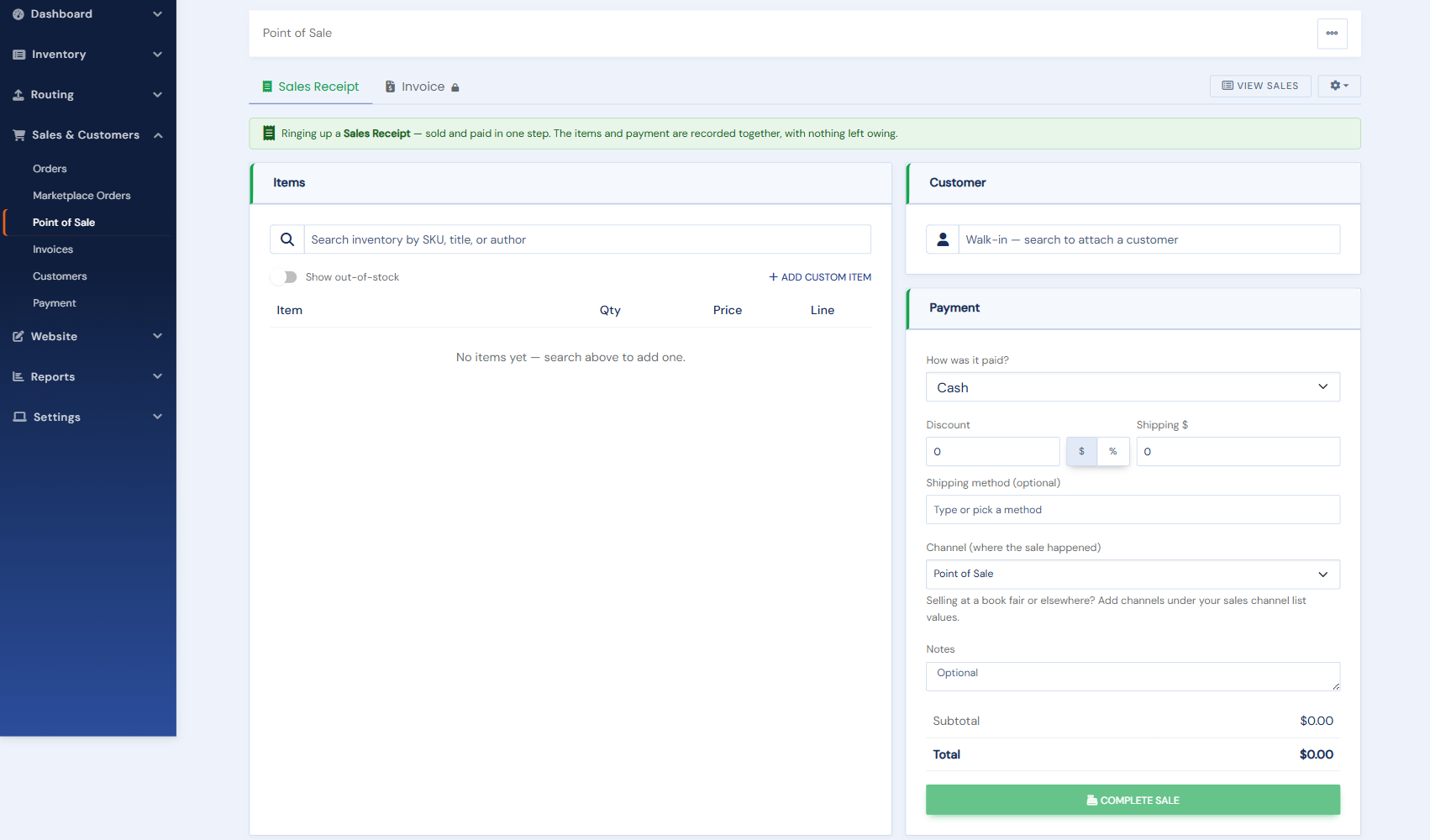
The page has two tabs. Sales Receipt (green) is a sale paid now. Invoice (blue) is a sale you bill for and collect later; it appears once invoicing is turned on (see Creating and sending invoices). This article covers receipts.
Ringing a sale
- Add the items. Search by SKU, title or author; click a match to add it as a line. Only items in stock are listed. To sell a copy your inventory already shows as sold (a spare from the back room), tick Show out-of-stock: the sale is recorded against that item, but its quantity is not changed.
- Sell something that is not in your inventory (an uncatalogued book, supplies, a fee) with Add custom item: a description, price, quantity, an optional cost, and whether it is taxable.
- Attach the customer (optional for a receipt). Start typing a name or email to find someone on file. Not on file yet? Click New customer and enter a name (email and phone are optional) without leaving the sale. If the email is already on file, that customer is attached instead of creating a second one. With no customer the sale is a walk-in.
- Adjust the totals. A discount as an amount or a percentage, and shipping if you are sending the purchase (pick one of your shipping methods to fill in its charge, or type your own).
- Choose the channel, where the sale happened. It starts on Point of Sale; pick Book Fair, Library Sale, Consignment or another channel when the sale happened somewhere else. See Sales channels, including how to add your own.
- Add notes if you like. They print in the Notes section of the receipt.
- Take the payment. Choose how it was paid (cash, card on your own terminal, check, money order, bank transfer, gift card, store credit, other). If your payment gateway is Square, Braintree or Authorize.net and connected, you can instead turn on Charge a card now and key the card: it is charged when you complete the sale, and if the charge fails nothing is recorded.
- Complete the sale. From the confirmation you can view, print or download the receipt as a PDF, email it to the customer, open View Sales, or start a New sale.
Sales tax
Tax is worked out for you and shown under the subtotal, with a short line saying why when it is not your usual rate.
- A receipt is a counter sale, so it is taxed at your store's rate, the rate you set under Settings › Selling Options › Taxes.
- An invoice is taxed where the customer is: their shipping address, or their billing address when there is no shipping address. If you do not collect tax in that state, or the customer is outside the US, there is no tax. An invoice to a customer with no address on file uses your store's rate.
- A customer marked tax exempt on their customer record pays no tax, on receipts and invoices alike.
- Items marked tax exempt on their item form are left out of the taxable amount, and so is a custom item with Taxable unticked.
When there is tax, a Charge sales tax switch appears under the totals. Turn it off to take the tax off this one sale, for example for a resale certificate shown at the counter. The receipt is saved with no tax, and a card charge is for the total on the screen.
If a sale goes wrong
A receipt is a record of money taken, so it is never deleted or cancelled. To undo a sale, open it in View Sales and use Refund. If you rang it up as a walk-in receipt but it should have been an invoice for a regular customer, you can turn the receipt into an invoice instead. Undoing a sale explains which to use when.
Who can do what: any staff member can ring sales, add customers and charge cards at the register. Refunds and cancelling invoices need an Admin, or a staff member given the Refunds & Card Management permission. POS Settings are for Admins.