

The Events tool publishes book fairs, signings, and other happenings on your website. Find it under Website › Content & Design › Events.
Creating an event
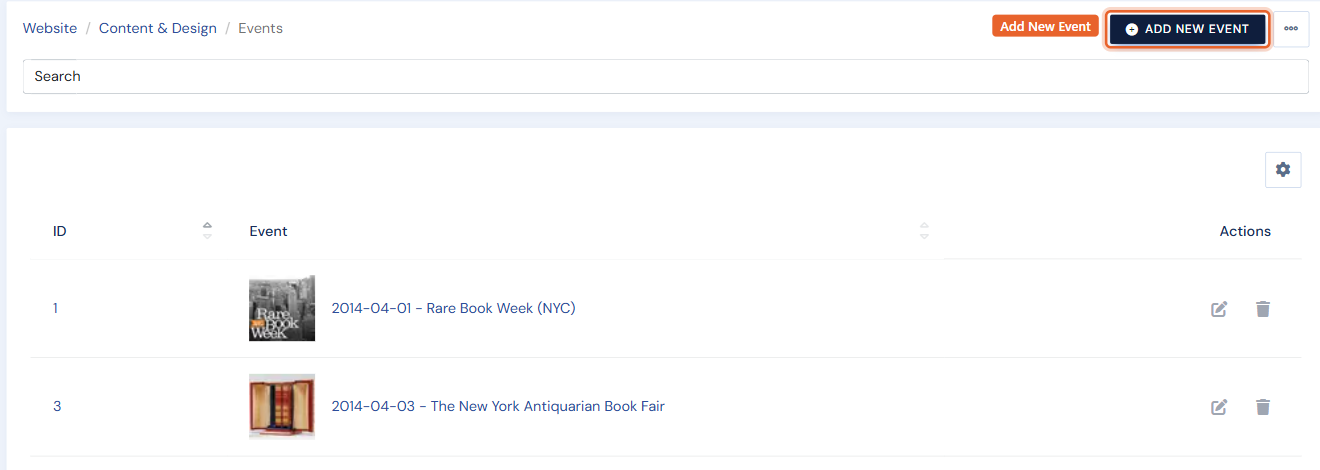
Click Add New Event (top right). Fill in the name, description, date and time, location, and images, then save. The event appears on your website's events page; upcoming and past events are sorted automatically by date.
Editing an event
Click the Edit (pencil) icon on the event's row, change what you need, and save.
Deleting an event
Click the Delete (trash) icon on the event's row and confirm.
Event categories
If you run several kinds of events (fairs, signings, press), event categories group them on your website. Manage them from the same Events area.
Tip: events can be exported and imported in bulk on the Export Data and Import Data pages — handy for seeding a season's fair schedule from a spreadsheet.