

Manage Customers is a full service desk: everything about a customer lives on one page, so you can answer any question without hopping between tools.
How to find it
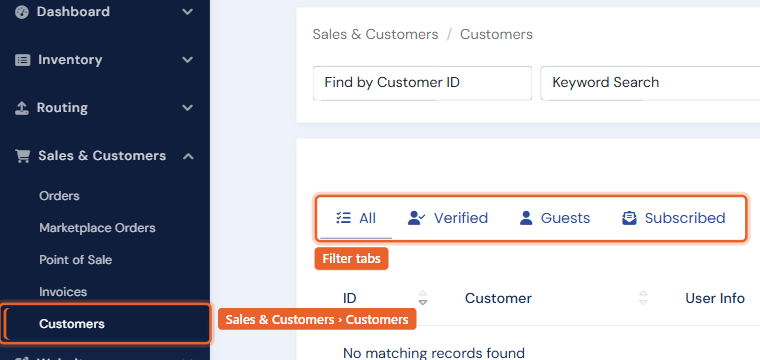
Open Sales & Customers in the left menu and click Customers. Tabs filter the list to All, Verified (login accounts), Guests, and Subscribed. Search by name or email, or use the filter panel for account status and mailing-list membership. Customers who owe on invoices show an amount-due badge right in the list.
The customer page
Open a customer and you get a tabbed workspace:
- Customer Details: contact info, billing and shipping addresses, the account card (see Customer accounts and login access), a tax card (tax-exempt flag and tax/VAT number), and a summary panel whose stat rows jump to the other tabs.
- Sales History: every purchase across every channel (website, in-store, invoices, marketplaces), with links to the original order or receipt.
- Invoices: their invoices with balances; open or overdue invoices are also flagged in an alert strip at the top of the page.
- Notes: freeform notes plus an automatic audit trail of account actions.
- More: Wants, Wishlist, Lists (mailing lists and New Arrival subscriptions), Inquiries, and Carts.
Adding customers
Click Add New Customer to create one at the counter: email (required), name and addresses, optional login credentials with a welcome email, and mailing-list opt-ins. Guests created by website checkouts appear here automatically.
Keeping the list clean
Duplicate records happen (guest checkouts especially). Select the duplicates and use Merge Customers to combine them; see Merging and importing customers.