
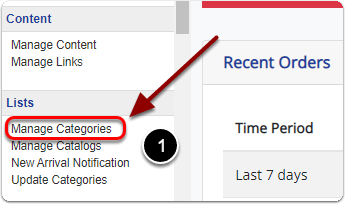
1) Click 'Manage Categories' under the 'Lists' heading of the 'Control Panel'.
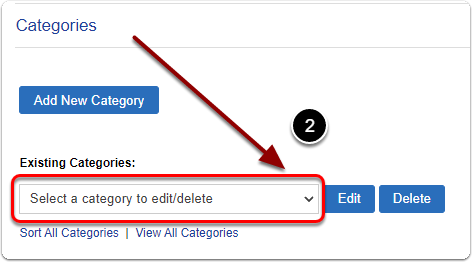
2) Under 'Existing Categories:' select the category you'd like to delete from the dropdown menu.
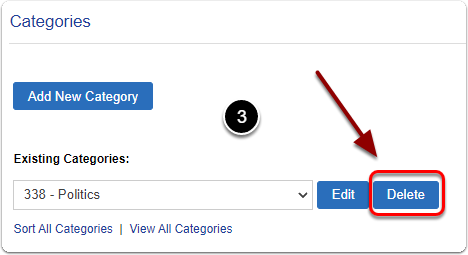
3) Click the 'Delete' button.

1) Click 'Manage Categories' under the 'Lists' heading of the 'Control Panel'.
2) Under 'Existing Categories:' select the category you'd like to delete from the dropdown menu.
3) Click the 'Delete' button.
Send us a message and we will get back to you.