In order for your items to be completely removed from Amazon, you will have to close your Amazon Seller Account.
1) Login to your account at sellercentral.amazon.com
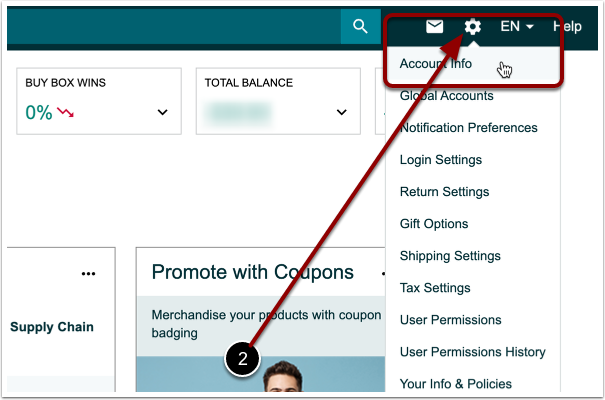
2) Click the gear icon in the top right corner and select 'Account Info'.
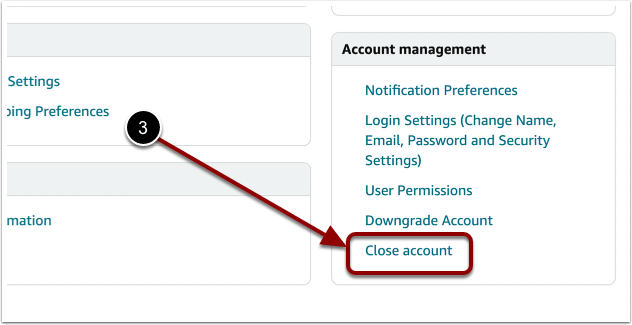
3) In the bottom right corner under 'Account management' click 'Close Account' and follow the prompts.