

Everything BookRouter prints or PDFs (receipts, invoices, book sheets and cards, catalogs) can carry your shop's look. The Documents page is where you define it once.
How to find it
In the admin this page lives under Settings › Branding & Templates. Open Settings in the left menu, click Branding & Templates, then click the Documents card.
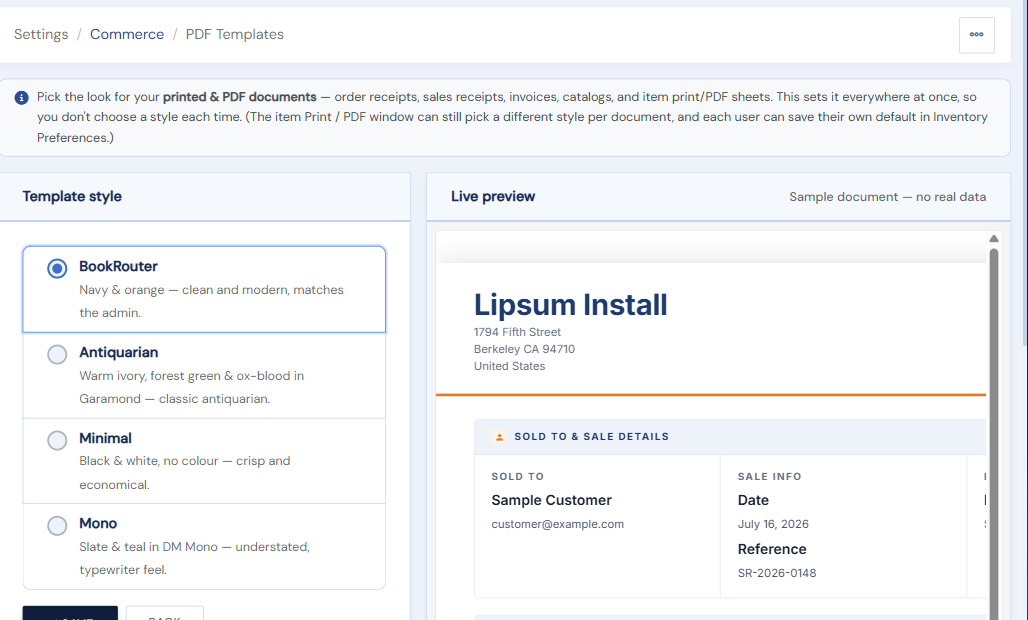
The page has a Template style picker on the left and a Live preview on the right, so you can see each look on a sample document before you save.
Your brand
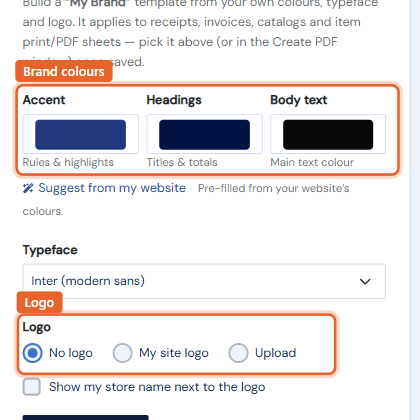
Set your accent and heading colors, choose a typeface from the curated list, and add your logo (upload one, or use your website's). This creates a My Brand theme that then appears alongside the built-in themes in every document picker: the Create PDF window, order receipts, and POS invoices and receipts.
Item images
Choose per document type whether item photos print: on book sheets and cards, in catalogs, and as thumbnails on receipt and invoice line items.
Document details
Set your invoice title (some regions require the wording "Tax Invoice") and your tax registration number (an ABN, VAT number, or similar), which then prints under your address on invoices and receipts.