

Square lives under Settings › Selling Options › Payment Gateways › Square (see Setting up a payment gateway). Open that panel and follow the steps below. If your account does not show a self-serve Connect to Square option, use Contact Support on the Square panel and we will finish the connection for you.
Connecting to Square Payments
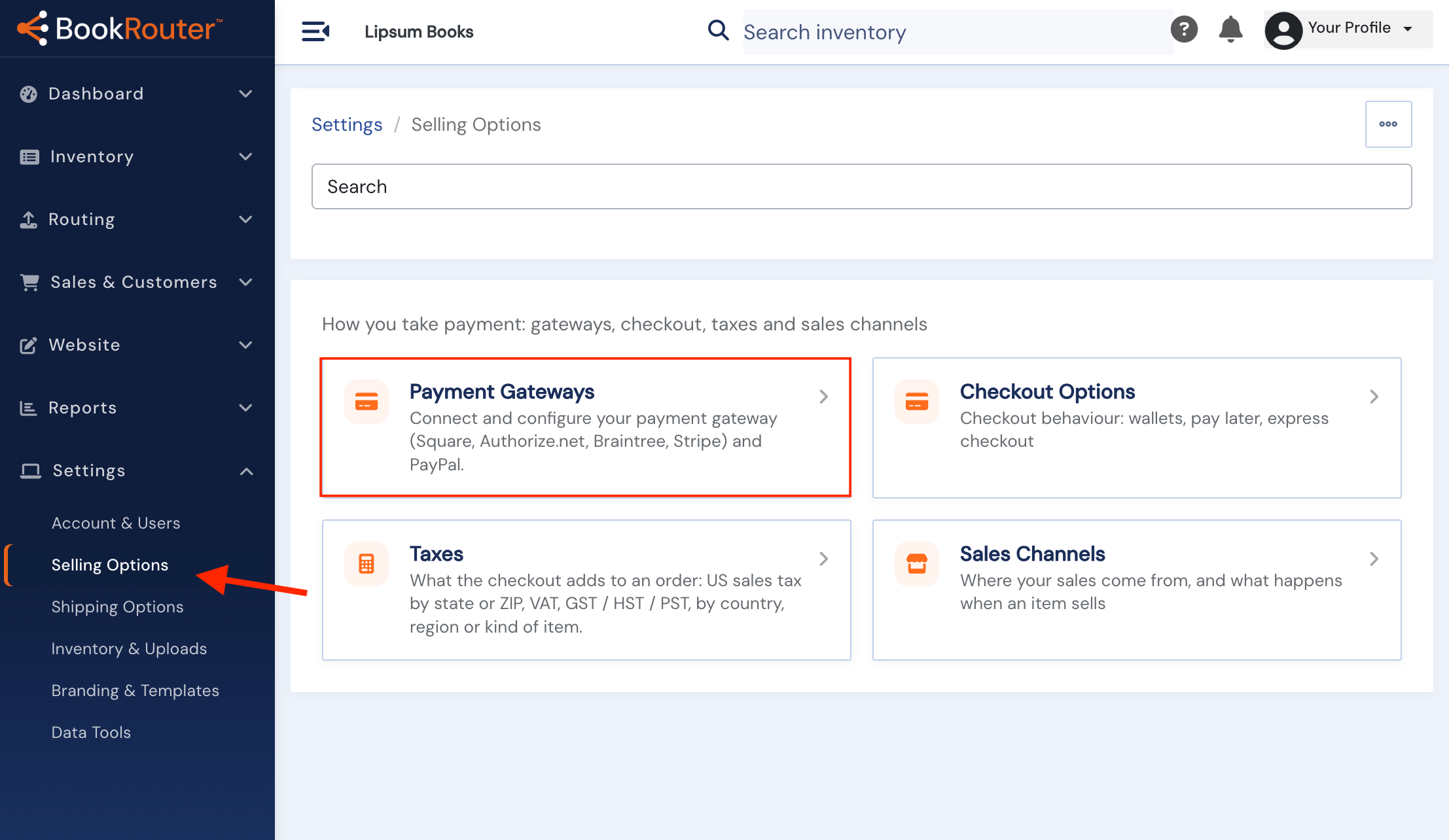
Step One: Click on the 'Selling Options' link under the 'Settings' heading in your BookRouter™ admin menu.
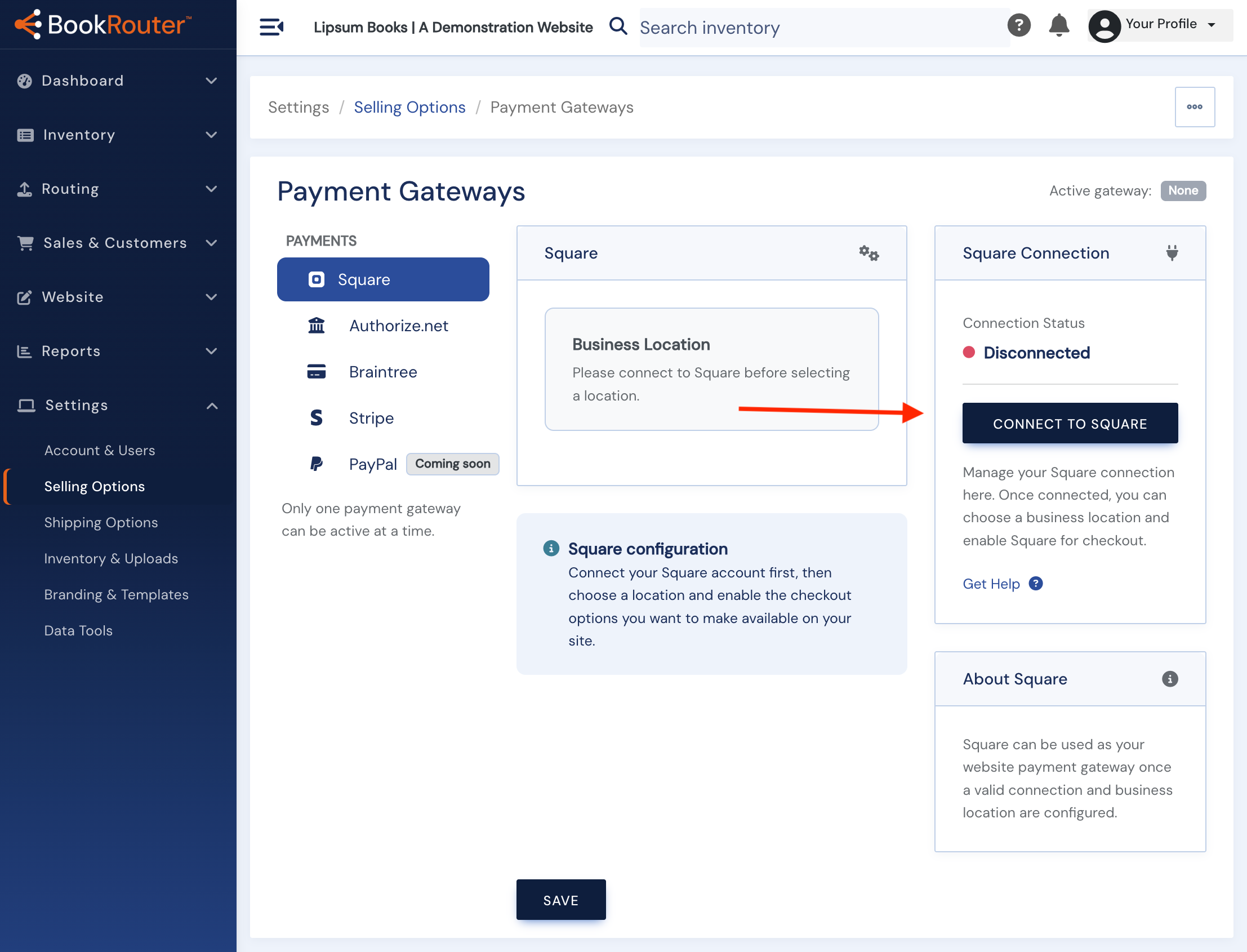
 Step Two: On the left side panel, click on 'Square' section, then click on the 'CONNECT TO SQUARE' on the right side under 'Square Connection' heading.
 Step Three: This will initiate a popup and prompt for your Square account login. Proceed to enter your credentials and sign in.
Configuring Square Payments
After connecting your Square account, you will return to the Payment Gateways page. Proceed with setting up the options you want to use in your account.
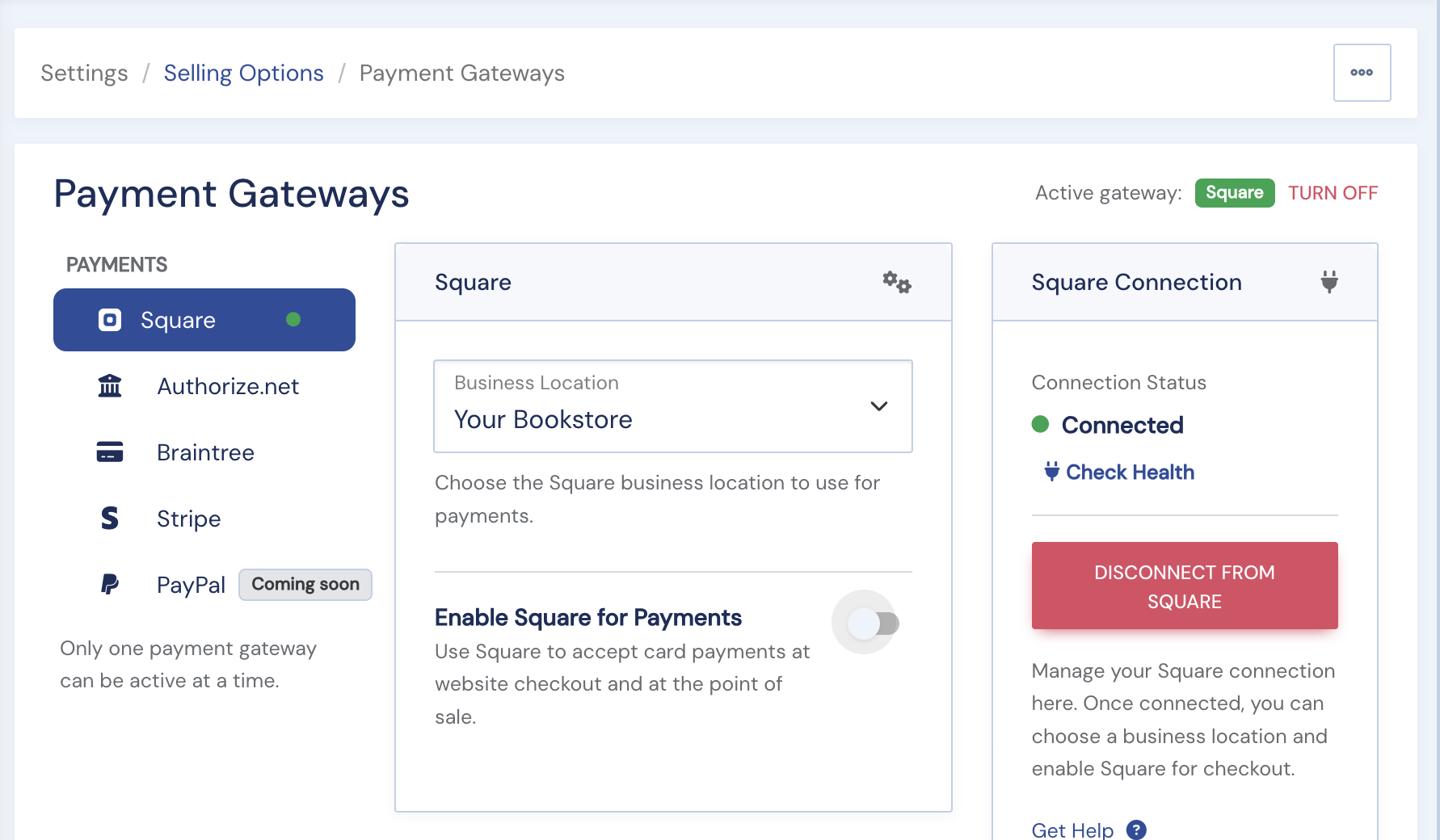
Step One: Business Location From the dropdown, choose the location best associated with your website, then enable Square for Payments.
Step Two: Enable Square Payments Click the slider to enable square payments. This will open additional options for you to choose from. See screenshot in step three.
 Step Three: When you check the 'Enable Square Payments' option, additional options will appear: 'Use Delay Capture', '3D Secure (SCA)', 'Use Gift Cards', 'Google Pay' and 'Apple Pay'. Review these options and make your selections. See the info and warning notes below the screenshot for more details on these options.
 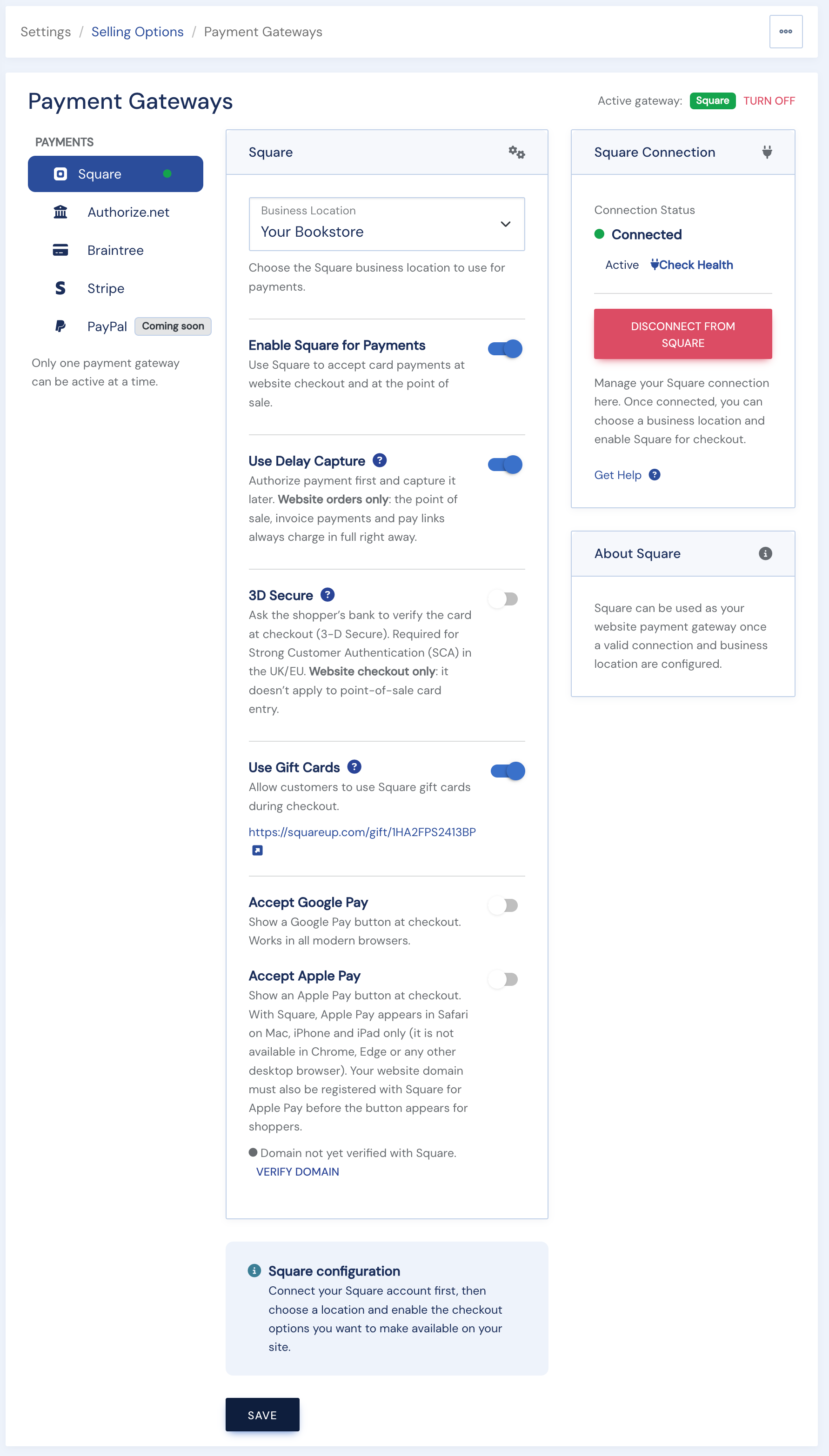 Step Four: Save your settings! If you do not save, your settings will disappear and need to be completed again.
Why delay capture?
When enabled, the request will only perform an 'Authorize' on the provided card and you can later 'Capture' or 'Void.' This will give you six days to cancel the order without having to refund. Maybe you don't have the book anymore, maybe you need to charge more for shipping, etc. When you get an order, it will appear in your Square account where you can authorize it, or you can use the “charge” button on the order details screen in the BookRouter admin.
NOTE: if you choose this option and for any reason do not charge the card within the six-day time period, you will lose the ability to charge the order. In that case, you will need to contact your customer for payment details again.
3D Secure (also called Strong Customer Authentication (SCA) is a European requirement to make online credit and debit card payments more secure in the European Economic Area (EEA). UK and EU sellers should enable this setting.
For sellers in other regions, you can choose to enable this setting. It does offer some additional security; however, it adds steps to the checkout process which may lead to more abandoned carts. Unless you are having issues with fraudulent orders, it may be best to leave this box unchecked.
If you do not click the Save button, your settings will not be applied to your website.