
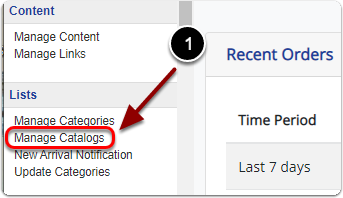
1) Click 'Manage Catalogs' under the 'Lists' heading of the 'Control Panel'.
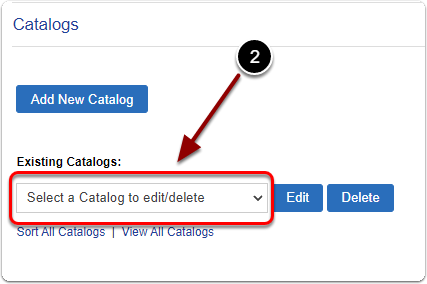
2) Under 'Existing Catalogs:' select the catalog you'd like to delete from the drop-down menu.
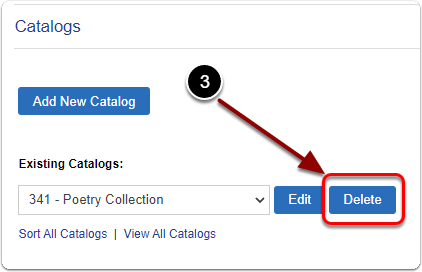
3) Click the 'Delete' button.

1) Click 'Manage Catalogs' under the 'Lists' heading of the 'Control Panel'.
2) Under 'Existing Catalogs:' select the catalog you'd like to delete from the drop-down menu.
3) Click the 'Delete' button.
Send us a message and we will get back to you.