
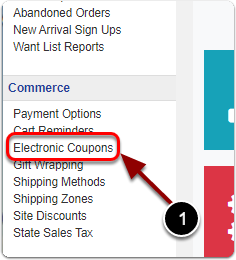
1) Click 'Electronic Coupons' under the 'Commerce' heading of the Control Panel.
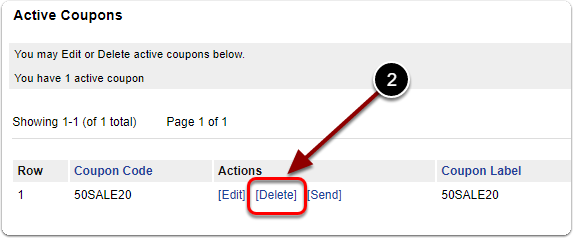
2) Under the 'Active Coupons' heading, click your coupon's 'Delete' link.
1) Click 'Electronic Coupons' under the 'Commerce' heading of the Control Panel.
2) Under the 'Active Coupons' heading, click your coupon's 'Delete' link.
Send us a message and we will get back to you.