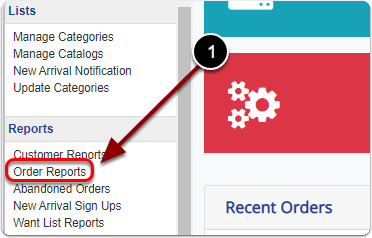
1) Click 'Order Reports' under the 'Reports' heading of the 'Control Panel'.
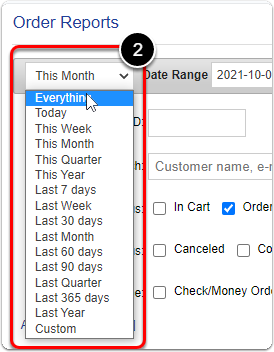
2) Select 'Everything' from the first drop-down menu.
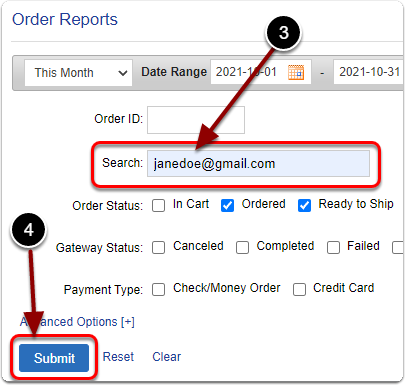
3 & 4) Search for your customer and click the 'Submit' button.
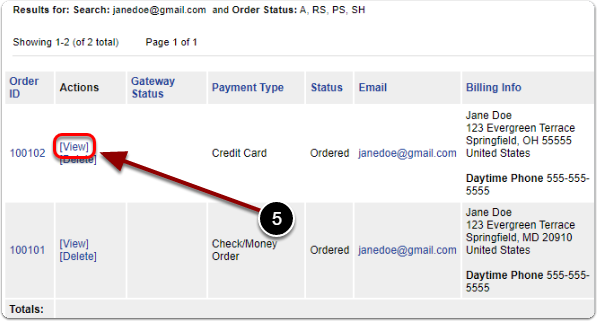
5) Scroll down & click the 'View' link of your order.
6) Scroll down, next to 'Order Adjustment' enter the adjustment value (Ex: 5.35 or -6.25).

7) Click the 'Add Adjustment' button.
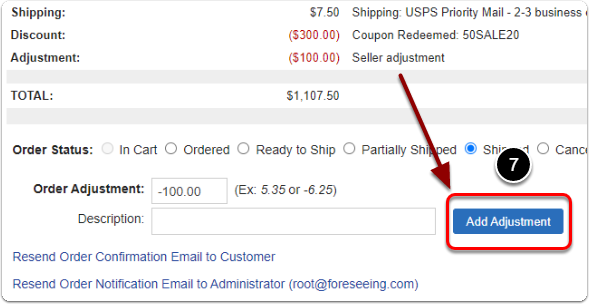
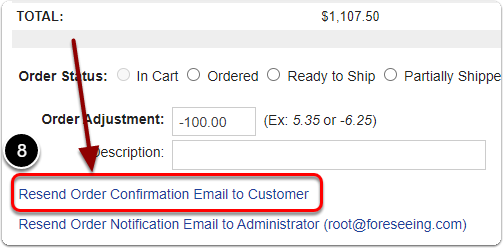
8) Click the 'Resend Order Confirmation Email to Customer' link if you'd like to let your customer know their total was adjusted.