

The new BookRouter admin has a redesigned Analytics & Marketing Tags page. It does everything the legacy Control Panel did, plus Tag Manager and consent controls the old platform never had. Find it under Website › Site Settings › Google Analytics.
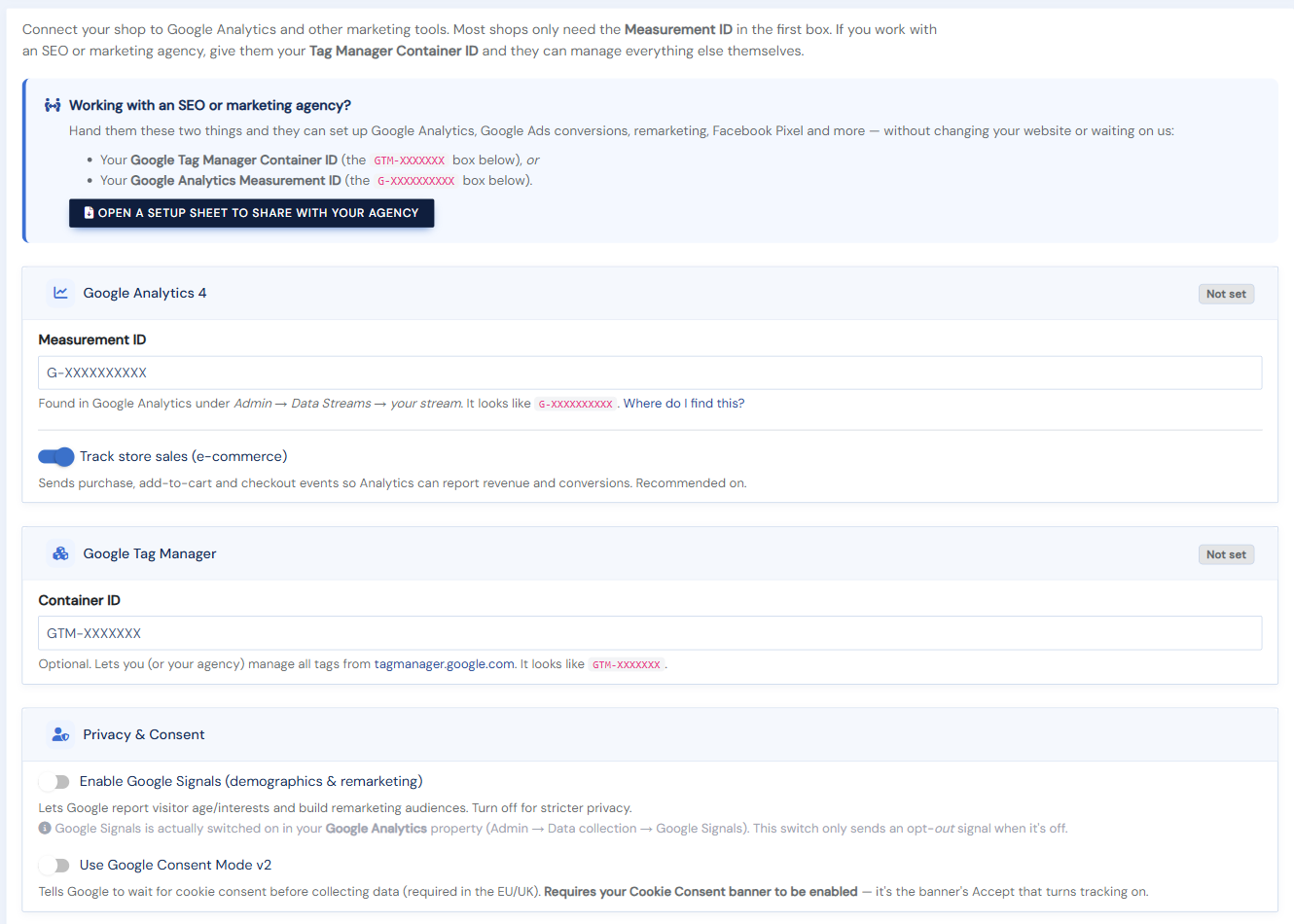
Google Analytics 4
Enter your GA4 Measurement ID (it looks like G-XXXXXXXXXX) and your storefront automatically sends page views plus the full ecommerce funnel — view item, add to cart, begin checkout, and purchase (leave Track store sales on).
Google Tag Manager
Paste your GTM Container ID (GTM-XXXXXXX) and manage GA4, Google Ads, Meta Pixel, Microsoft Clarity, and other tags from Tag Manager without touching code. Your storefront pushes a complete ecommerce dataLayer, so your SEO or marketing agency can build whatever tags they need.
Privacy & Consent
Google Signals enables demographics and remarketing; turn it off for stricter privacy. Consent Mode v2 tells Google to wait for cookie consent before collecting data (required in the EU/UK) — it relies on your Cookie Consent banner being enabled.
Google Ads
Add a Google Ads Conversion ID (AW-XXXXXXXXX) to track purchases as conversions.
Working with an agency? Use Open a setup sheet to share with your agency at the top of the page — hand them your Measurement ID or Tag Manager Container ID and they can set everything up themselves.