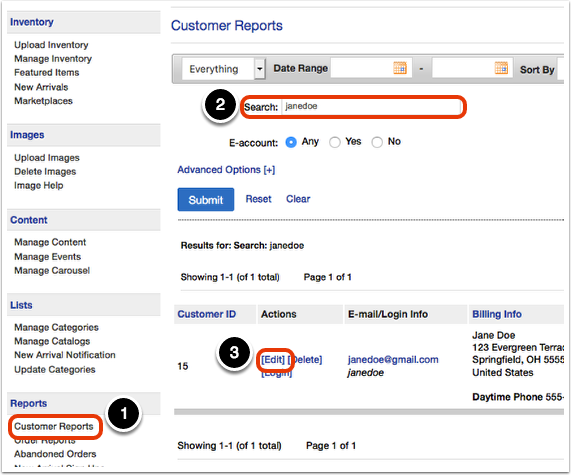
If the customer has an account, you can set them to be tax exempt. First, go to 'Customer Reports' to search for the customer's account. Then, select 'Edit.'
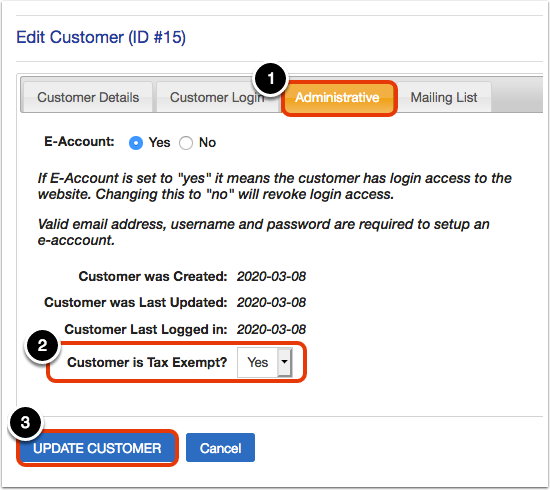
On the edit screen, go to the 'Administrative' tab, then change 'Customer is Tax Exempt?' to 'Yes' and select 'Update Customer.'