
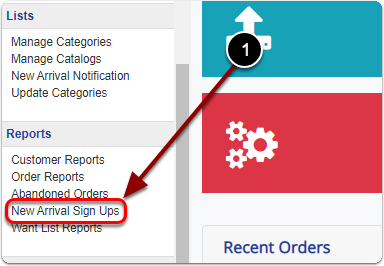
1) Click 'New Arrival Sign Ups' under the 'Reports' heading of the 'Control Panel'.
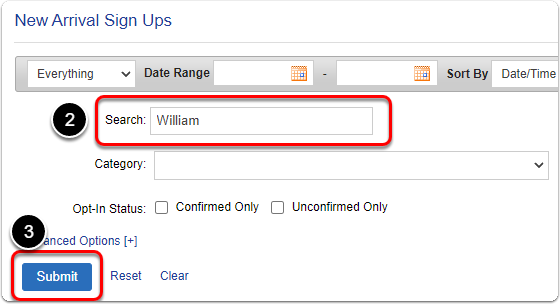
2 & 3) Search for your customer and click the 'Submit' button.
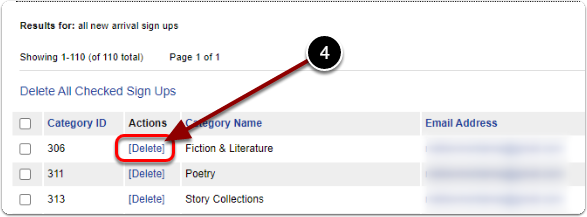
4) Scroll down & click the 'Delete' link of your customer's new arrival sign up.

1) Click 'New Arrival Sign Ups' under the 'Reports' heading of the 'Control Panel'.
2 & 3) Search for your customer and click the 'Submit' button.
4) Scroll down & click the 'Delete' link of your customer's new arrival sign up.
Send us a message and we will get back to you.