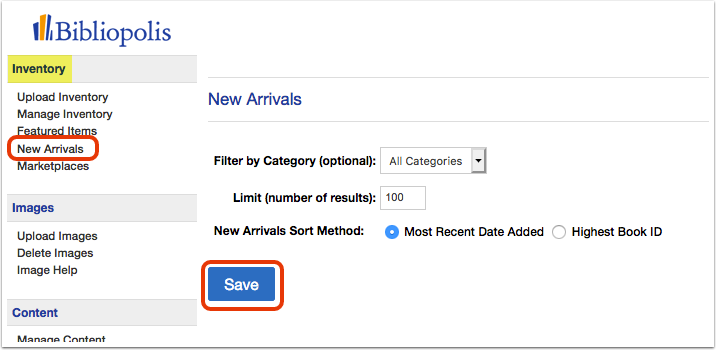
The New Arrivals block on your website shows your most recently added items. You control which items appear and how they are ordered from one settings page.
Click 'New Arrivals' under the 'Inventory' heading in your Control Panel menu. Adjust the settings below, then click 'Save.'
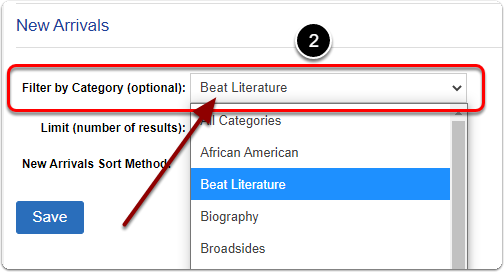
Filter by category (optional)
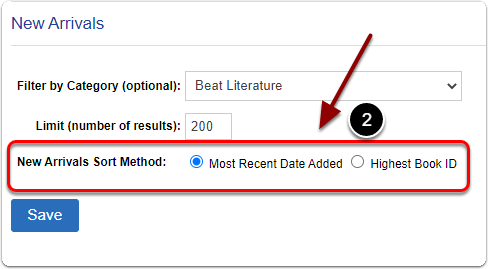
Next to 'Filter By Category (optional):' choose a category from the drop-down to limit New Arrivals to items in that category. Leave it unset to show new arrivals from all categories.
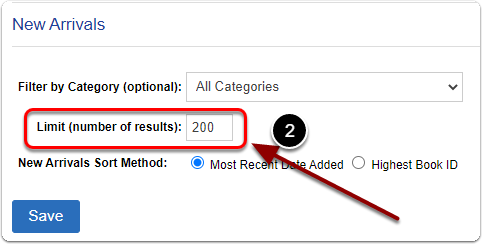
Limit (number of results)
Next to 'Limit (number of results):' enter how many items you want the New Arrivals block to feature.
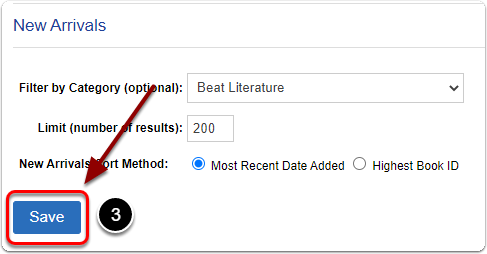
Sort method
Next to 'New Arrivals Sort Method:' choose 'Most Recent Date Added' or 'Highest Book ID' to control the order items appear in.
When you are finished, click the 'Save' button.