You can now view your monthly bill & manage your payment methods in your admin. On this page you can also review your payment history and account details.
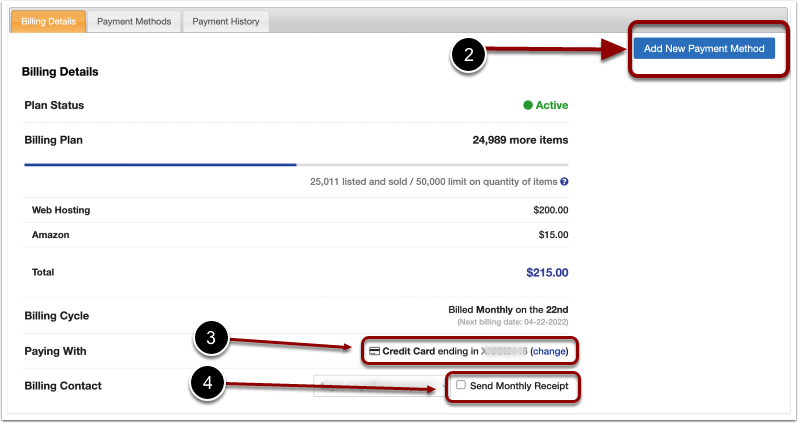
1) In the Control Panel, click on your User dropdown menu in the top right and select Billing.
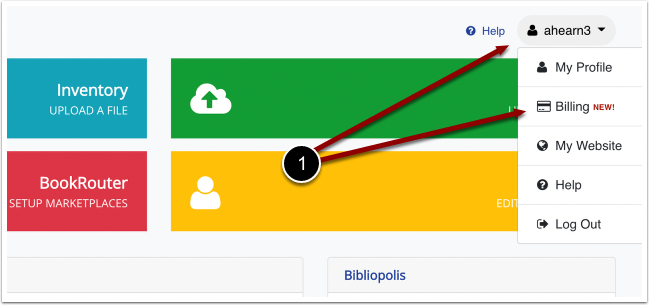
On this page you can view your bill, 2) Add a New Payment Method, 3) Change the payment method for your next billing cycle & 4) Opt in for Monthly receipts.
*The 'Add New Payment Method' button will say 'Create Subscription' if you have not done so yet. Please add your billing info here.