A site-wide message shows a banner across your website for a date range you choose. You can post a new message or edit an existing one. Both live under 'Site Wide Message' in the 'My Site' heading of the Control Panel menu.
Post a new message
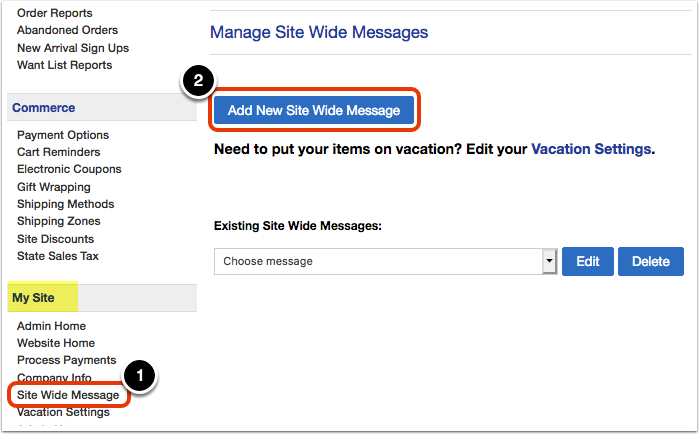
Click 'Site Wide Message' under the 'My Site' heading, then click 'Add New Site Wide Message.'
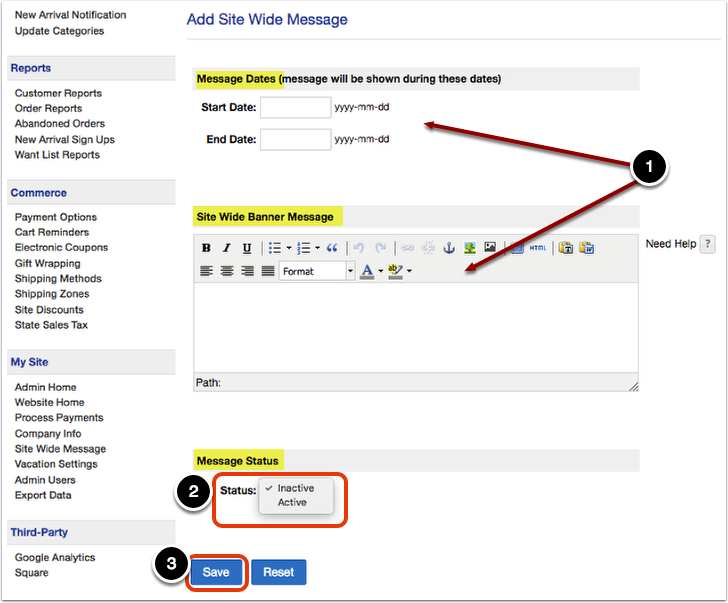
Add the message details: the dates it will be visible and the message text. Set 'Status' to 'Active' to publish it within the date range you specified, or 'Inactive' to keep it as a draft. When you are finished, click 'Save.'
Edit an existing message
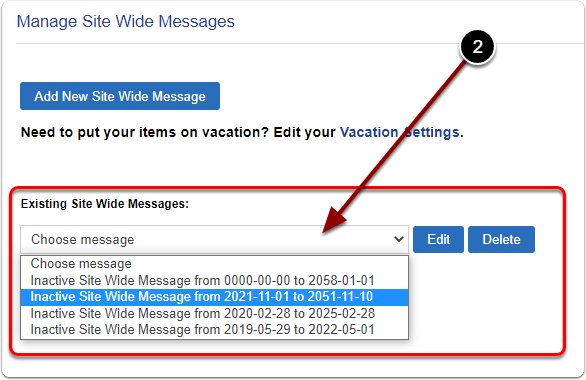
Click 'Site Wide Message' under the 'My Site' heading, select your existing message from the drop-down, and click 'Edit.'
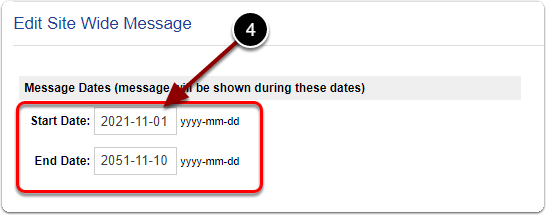
Update the run dates (yyyy-mm-dd), edit the banner text, and set the status to 'Active' when you want it to launch. Click 'Save' to finalize.